How to Build an Autonomous AI Website Builder SaaS in 2026: The Complete Bolt.new & Lovable Clone Architecture
A technical blueprint for launching a fullstack AI software engineering cloud studio with Next.js 15, Monaco code editor, multi-model LLM orchestration, remote MySQL console, and 1-click server deployment.
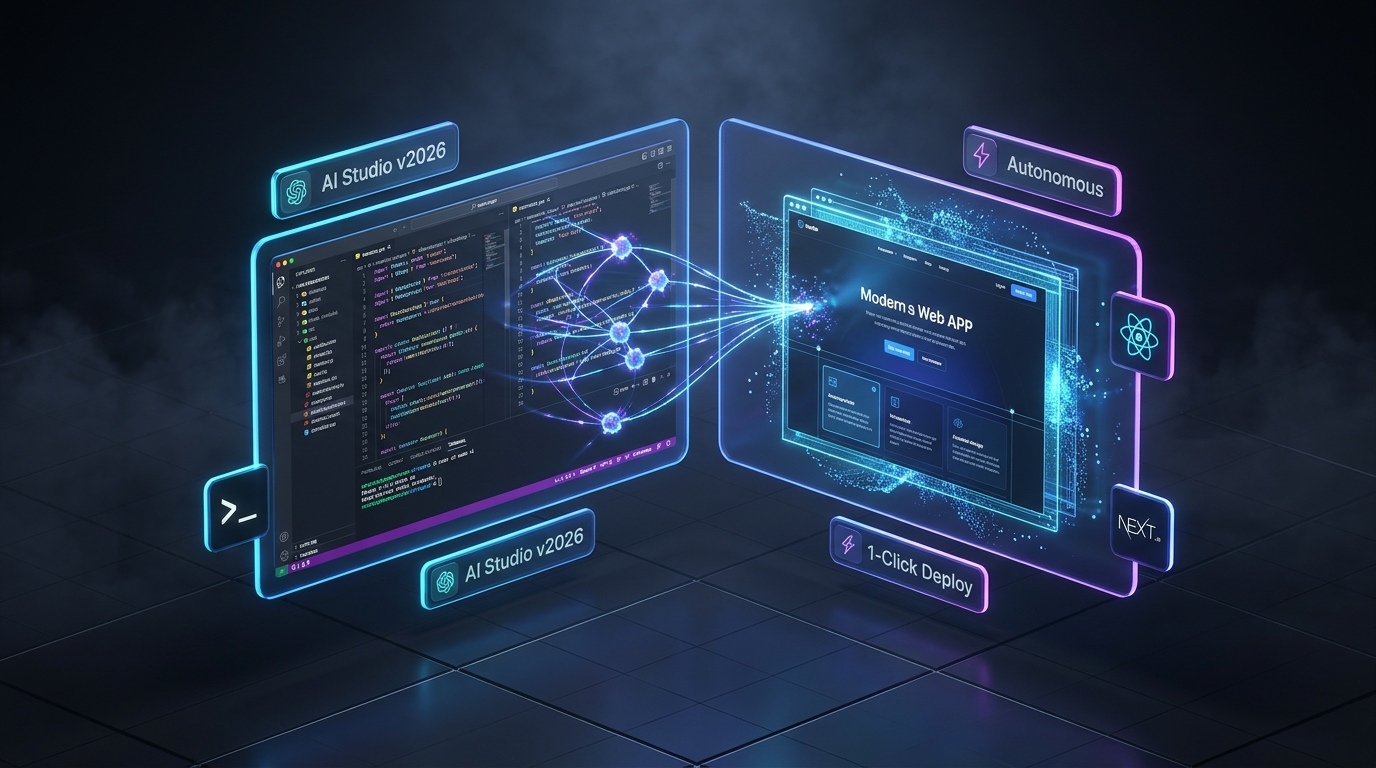
The Paradigm Shift: In-Browser Autonomous AI Studios in 2026
The software development ecosystem has reached an inflection point. The traditional development lifecycle—spending weeks configuring local Node environments, installing complex dependencies, debugging boilerplate configurations, and hand-crafting database schemas—is rapidly becoming obsolete.
Platforms like Bolt.new, Lovable.dev, Cursor, and v0 have demonstrated that users across the globe want a unified, browser-native experience: type a plain-English prompt, watch the AI engineer write multi-file fullstack code, and immediately interact with a live, running web application.
For software entrepreneurs, digital agencies, and freelance developers, building and operating a proprietary AI Website Builder SaaS is one of the highest-margin, most scalable software businesses in 2026.
However, building an autonomous cloud studio from scratch requires solving formidable technical challenges:
- Engineering a fast in-browser code editor with syntax highlighting, auto-complete, and diff controls.
- Orchestrating multi-model AI routing with prompt caching and low-latency token streaming.
- Managing live database schemas and remote SQL execution.
- Handling 1-click deployments to production servers like Hostinger, cPanel, or VPS.
In this developer blueprint, we break down the architecture of production-grade AI website builders and examine how the [KAWDING AI Website Builder SaaS](/product/ai-website-builder-saas-autonomous-php-studio-muofmk7j-fle7) delivers an enterprise-ready foundation out of the box.
Core Architectural Pillars of an AI Cloud Studio
An autonomous AI website builder is far more than a simple ChatGPT wrapper. A production-grade platform combines five deeply integrated engineering subsystems:
1. The Dual-Pane Holographic Studio Workspace
The core user interface must provide a seamless split-screen experience:
- Left Pane (Monaco Editor): The same industry-standard editing engine powering Microsoft VS Code. It provides complete IntelliSense, syntax highlighting across PHP, JavaScript, TypeScript, Python, HTML, CSS, and SQL, and zero focus-ring mobile-responsive ergonomics.
- Right Pane (Live Preview Sandbox): An isolated rendering iframe displaying the generated responsive web application in real time, supporting instant desktop, tablet, and mobile viewport switching.
2. Multi-Model Frontier AI Gateway (21+ Models)
To ensure maximum reliability and cost control, the studio must not depend on a single proprietary AI vendor. It should dynamically route generation tasks to the optimal LLM based on task complexity:
- Anthropic: Claude 3.5 Sonnet (Thinking Mode), Claude 3 Opus for complex multi-file architectural planning.
- Google: Gemini 2.5 Pro and Gemini 2.0 Flash for ultra-fast generation and deep context windows.
- DeepSeek: DeepSeek-V3 and R1 reasoning engines for ultra-low inference costs.
- Fast Inference LPU Engines: Groq, OpenRouter, and Together AI for near-instantaneous token generation.
3. Surgical AI Code Transformation & Git Diff Review
Instead of regenerating thousands of lines of code for a minor edit, an advanced studio incorporates:
- Inline Ghost Autocomplete: Copilot-style ghost text where pressing
Tabaccepts intelligent code completions. - Inline Surgical Patcher (`Ctrl+K`): Allows users to highlight a specific function and instruct the AI to refactor, debug, or optimize without touching surrounding code.
- Unified Git Diff Viewer: Displays exact green additions and red deletions, giving developers granular
AcceptandRejectcontrols before committing changes.
4. Remote MySQL Console & Live Schema Inspector
Generating web applications requires persistent database management. The studio includes a built-in remote MySQL GUI allowing users to:
- Inspect database tables, column types, and foreign key indexes.
- Execute direct SQL queries with visual result tables.
- Automatically configure connection strings inside environment variables.
5. 1-Click Universal Server Deployment
While sandbox tools lock users into expensive proprietary hosting subscriptions, an independent platform empowers creators with direct hosting autonomy:
- Hostinger & cPanel 1-Click FTP Deploy: Compresses and uploads project files in-memory directly to the merchant's live web server.
- Smart DB_HOST Auto-Adaptation: Automatically switches database connection strings from remote IPs to
localhostduring deployment to ensure zero configuration errors on shared and cloud hosting environments. - Direct GitHub Integration: 1-click commit and push using personal access tokens.
Building from Scratch vs. Deploying KAWDING Source Code
| Architectural Dimension | Building In-House from Scratch | Subscribing to SaaS Platforms | KAWDING Turnkey Source Code on CodeSeller |
|---|---|---|---|
| Development Timeframe | 8 to 12 Months | Immediate (User only) | Deploy in Under 1 Hour |
| Engineering Cost | ₹8,00,000 – ₹15,00,000 | $20 – $100/mo per seat | ₹4,999 (One-Time Lifetime Download) |
| Source Code Ownership | Proprietary | Zero (Closed Vendor Lock-in) | 100% Full Unencrypted Source Code |
| Monaco Editor Engine | Complex multi-month integration | Proprietary | Included with Copilot Tab & Diff Controls |
| Payment Gateways | Custom Stripe / Razorpay integration | Vendor Billing | Pre-Built Indian UPI ([upigateway.dev](https://upigateway.dev)), Stripe & PayPal |
| Deployment Autonomy | Must build custom CI/CD pipelines | Locked to proprietary clouds | 1-Click Hostinger, cPanel FTP & GitHub Push |
| Commercial Resell Rights | Owned | None | Extended Commercial License Included |
Technical Deep-Dive: Streaming Multi-File AI Code Patches
In modern AI software engineering studios, the server streams structured JSON patches using Server-Sent Events (SSE) or WebSockets. This allows the frontend Monaco editor to render file trees and update file buffers incrementally.
Below is a reference implementation showing how a Next.js 15 API route coordinates multi-file generation with prompt streaming:
import { NextRequest } from "next/server";

export const runtime = "edge";

export async function POST(req: NextRequest) {
  const { prompt, currentFiles, model } = await req.json();

  const systemPrompt = `
You are an expert autonomous software engineer.
Generate or update the application based on the user prompt.
Always output your response as structured file operations:
FILE: path/to/file.ext
[file content here]
`;

  // Call Frontier AI Gateway (e.g., Anthropic Claude or OpenRouter)
  const response = await fetch("https://openrouter.ai/api/v1/chat/completions", {
    method: "POST",
    headers: {
      "Authorization": `Bearer ${process.env.OPENROUTER_API_KEY}`,
      "Content-Type": "application/json",
    },
    body: JSON.stringify({
      model: model || "anthropic/claude-3.5-sonnet",
      stream: true,
      messages: [
        { role: "system", content: systemPrompt },
        { role: "user", content: `Current project files: ${JSON.stringify(currentFiles)}\n\nUser Request: ${prompt}` }
      ],
    }),
  });

  // Return real-time streaming response directly to client
  return new Response(response.body, {
    headers: {
      "Content-Type": "text/event-stream",
      "Cache-Control": "no-cache",
      "Connection": "keep-alive",
    },
  });
}
3 Proven Monetization Strategies for Your AI Studio SaaS
Once you deploy your AI Website Builder platform, you can monetize it through three proven revenue streams:
1. Subscription Tiers with Token Quotas
Implement tiered subscription plans:
- Starter Plan (₹499/mo): 50 AI generations, 3 active projects, community models.
- Pro Developer (₹1,499/mo): Unlimited projects, Claude 3.5 Sonnet access, 1-click Hostinger deployment.
- Agency Studio (₹4,999/mo): Multi-tenant team seats, white-label client export, unlimited database consoles.
2. Zero-Commission Indian Payments via upigateway.dev
While foreign platforms struggle with Indian credit card recurring billing failures, your platform includes native UPI Payment Gateway integration powered by upigateway.dev. Customers scan a dynamic QR code using Google Pay, PhonePe, or Paytm, and payments credit directly to your bank account with 0% gateway deductions.
3. White-Label Agency Reselling
Because the KAWDING source code includes an Extended Commercial License, digital agencies can rebrand the platform under their agency name and resell website builder subscriptions to non-technical business clients for creating local business websites and landing pages.
Step-by-Step Deployment on Hostinger or VPS in 4 Steps
Deploying your AI Website Builder platform requires minimal setup:
- 1Clone or Extract Archive: Unpack the 5.7 MB source code archive onto your local machine or server.
- 2Configure Environment: Copy
.env.exampleto.env.localand provide your Supabase URL, Service Role Key, and chosen AI provider API keys (OpenRouter, Anthropic, or Gemini). - 3Run Database Migrations: Execute the supplied SQL schema in your Supabase SQL Editor to configure tables, Row Level Security policies, and user credit quotas.
- 4Build and Deploy: Run
npm run buildandnpm run starton your Node.js runtime or deploy with one click to Vercel, Hostinger Cloud, or a self-hosted Docker container.
Conclusion: Lead the Autonomous Software Era
The era of manual boilerplate coding is giving way to autonomous AI cloud studios. By launching your own platform using verified, production-tested source code, you bypass months of engineering roadblocks and secure an immediate competitive advantage.
Explore the complete [AI Website Builder SaaS Source Code (KAWDING)](/product/ai-website-builder-saas-autonomous-php-studio-muofmk7j-fle7) on CodeSeller today, enjoy 100% full unencrypted code ownership, and launch your software empire in 2026.
Related Marketplace Analysis & Guides
How to Launch an SEO Audit Micro-SaaS in 2026: Complete Semrush Clone Blueprint with Next.js 15 & Supabase
Learn how to launch a profitable SEO audit micro-SaaS with Next.js 15, React 19, and Supabase. Discover how to build 8 technical audit engines, zero-cost native crawlers, UPI gateway billing, and white-label PDF reports.

How to Create Your Own UPI Payment Gateway in 2026: Complete PHP, Node.js & Android Architecture
Master the engineering behind self-hosted UPI payment gateways in 2026. Learn how to generate NPCI dynamic QR codes, capture bank UTRs via automated Android notification listeners, prevent replay attacks, and integrate zero-commission checkouts in PHP 8 and Node.js.
How to Launch a Multi-Vendor E-Commerce Platform & Storefront SaaS in 2026: The Complete PHP & MySQL Blueprint
Learn how to launch your own multi-vendor e-commerce marketplace and Shopify-style digital storefront builder in 2026 using pure PHP 8 and MySQL. Explore multi-tier SaaS billing, instant UPI checkout, digital download tokens, and turnkey commercial source code.

How to Build a Multi-Device WhatsApp REST API Gateway SaaS in 2026: The Complete WAPI Engine Architecture
Learn how to launch your own multi-device WhatsApp REST API gateway and auto-responder SaaS in 2026. Discover how to bypass expensive Meta Cloud API fees, implement automated webhooks, and deploy turnkey commercial WhatsApp SaaS source code.